HOW IT WORKS
Drop a file. Read the week.
TRADINGDAZE.COM
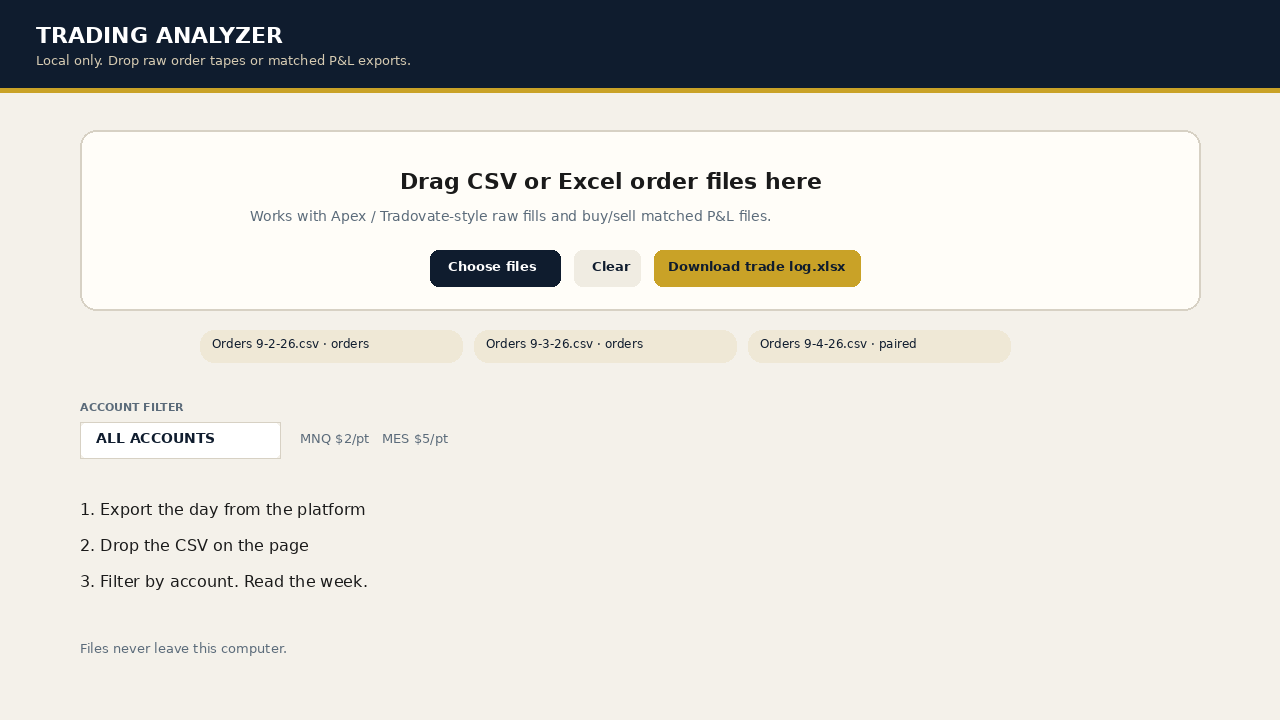
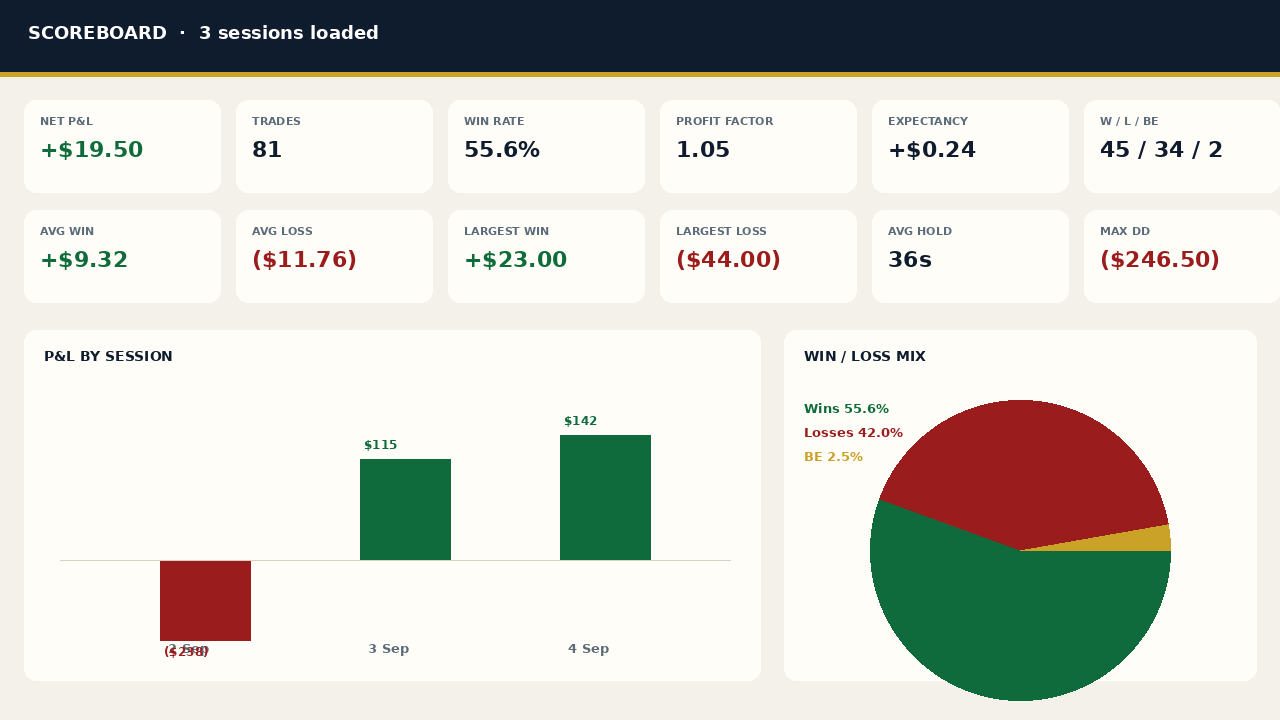
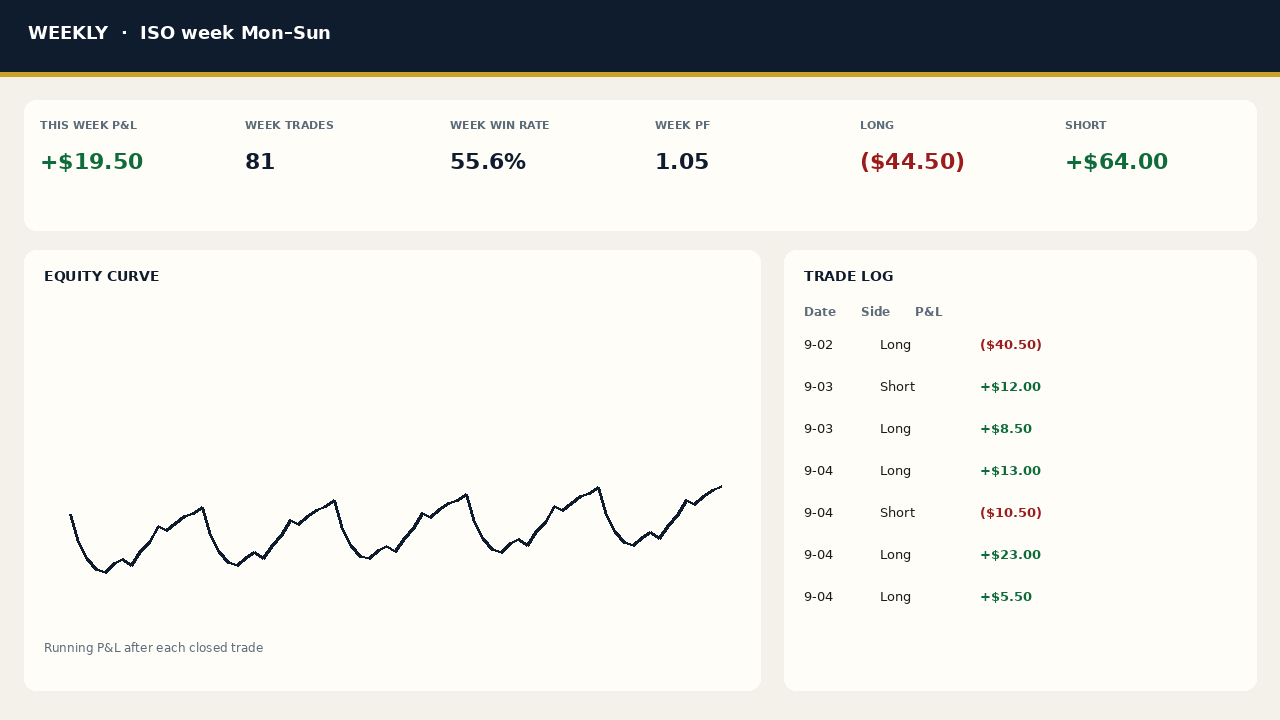
Drop your Tradovate (including Apex) or NinjaTrader export. The analyzer leads with your 7-day plan-follow rate and the dollars tied to each mistake, then the rest of the book. The file stays in your browser. It is not uploaded. Free size box: how many contracts, or don’t take it.
Start the 7-day trial on the $5.00/month plan. Your card is on file and you’re charged after day 7 unless you cancel. Cancel any time before day 7 and you won’t be charged. Yearly and lifetime have no trial. Who it’s for, and what it is not.
CHECKLIST
For prop firm accounts traded on Tradovate and for cash accounts.
The cheat sheet is ready. Download the Tradovate cheat sheet (PDF). This form sends the checklist to your email.
We count page visits with Umami, a privacy-friendly analytics tool with no cookies. Your trade CSV stays in your browser and isn't uploaded.
HOW IT WORKS
PLANS
Monthly, $5.00/month: 7-day trial. Your card is on file and the first charge happens after 7 days unless you cancel. Cancel any time before day 7 and you won’t be charged. Includes older days stored in this browser, weekly and monthly review, downloads, and Edge Hours (P&L by ET hour and session).
Yearly, $49.99/year (18% off vs monthly) and Lifetime, $99.99 one-time: no trial. Everything in monthly, plus ConfluenceSR, Iceberg Detector, and Trade Snap, which are for NinjaTrader 8 on Windows only.
Edge Hours is included on every plan, including the trial, and is not a separate checkout. It is in the analyzer’s Edge Hours tab for any active or trial membership.
NinjaTrader 8 only. Not available for Tradovate.
ConfluenceSR draws the three strongest support lines (blue/grey, below price) and the three strongest resistance lines (orange/grey, above price) on your chart. Each line is ranked by how many things line up at that price: recent swing highs and lows, volume, momentum, and nearby VWAP levels. The number in brackets next to each label (for example R1 (8.1)) is that score. Higher score = more factors lined up. R1 / S1 is the strongest, R3 / S3 the third strongest. These are reference zones, not trade signals. Use them alongside the tools you already use. The indicator only draws on the chart. It never places orders. Test on Sim or Replay first.
Iceberg Detector marks prices where the visible order-book size keeps refilling. It is a reference marker, not a trade signal. It needs Level II market depth and live data. It runs in NinjaTrader 8 on Windows. It never places orders. It needs the same Trading Daze license key as ConfluenceSR and Trade Snap.
Trade Snap is a NinjaTrader 8 add-on for members. It is not an indicator and it is not part of the web analyzer. It runs inside NinjaTrader on your own PC. Every time an order fills, it automatically saves a PNG of the chart for that instrument, so you have a snapshot of every entry and exit. After a trade goes flat, it also writes a small web page with a candle chart showing your entry and exit markers and the trade’s P&L. Files are saved in Documents\TradingDaze\TradeSnaps\<date>\ plus a snaps.csv log. It works however the order was placed: DOM, Chart Trader, or hotkey. It captures the chart matching the instrument and account traded, with a preferred timeframe you set (for example 2-minute) and an optional “capture every matching chart.” You can drag the pictures into the analyzer’s Chart Review (the Trade Snap drop). They stay in your browser. Limits: Windows and NinjaTrader 8 only. The chart must be open on screen. It needs a Trading Daze license key (the same one as ConfluenceSR and Iceberg Detector) and internet for the license check. The files stay on your computer. Nothing is uploaded.
ConfluenceSR, Iceberg Detector, and Trade Snap are included on the yearly and lifetime plans. They need your Trading Daze license key. Yearly and lifetime members download them from the Indicators tab in the analyzer.
START
Start 7-day trial ($5.00/month) See plans
Trading involves risk. This is a performance log, not a signal or money-management tool. Works for options, futures, stocks, and crypto — day or swing. Sample numbers on the shots are from a 3-day MNQ book. Cancel anytime on Whop. Read the full note.